
Starting today, teams can configure and launch a Uniswap Auction directly from the Uniswap Web App.
Auctions are powered by Continuous Clearing Auctions (CCA), Uniswap’s liquidity bootstrapping and token distribution protocol. Already teams like Aztec, Cap, and more have used Uniswap Auctions to run permissionless, onchain, transparent token distributions.
Why launch an auction with CCA?
Fixed price sales force teams to select arbitrary prices without market input, and offchain allocation creates a lack of transparency. CCA is designed to make token distribution more transparent and market-driven:
- Onchain price discovery. CCA discovers a clearing price through participant demand. Bidders submit a budget and maximum price, and the auction clears based on total demand over time.
- Fairer participation mechanics. CCA spreads each bid across the auction’s remaining blocks, so bids aren’t competing on speed. In Aztec’s auction, onchain data showed no clear instances of sniping or automated price manipulation.
- Transparent allocations. Auction parameters and outcomes are visible onchain from start to finish. Participants can verify the process, and teams can launch without relying on opaque offchain allocation systems.
- Liquidity from day one. CCA isn’t just for distribution. It also helps teams bootstrap liquidity after the auction, so teams benefit from having DeFi liquidity from day one.
The CCA contract system has been reviewed through seven independent audits, including reports from OpenZeppelin, Spearbit, and more. The interface supports Ethereum, Base, Arbitrum, and Unichain, with more chains coming soon.
Launching an auction with Uniswap
Until now, launching with CCA required manually deploying smart contracts. The new launch flow gives teams an interface for configuring and launching an auction with an existing token or by creating a new one, with configurable auction and pool details.
Once launched, auctions are immediately accessible via Uniswap Web App's Auctions tab. The flow has three steps:
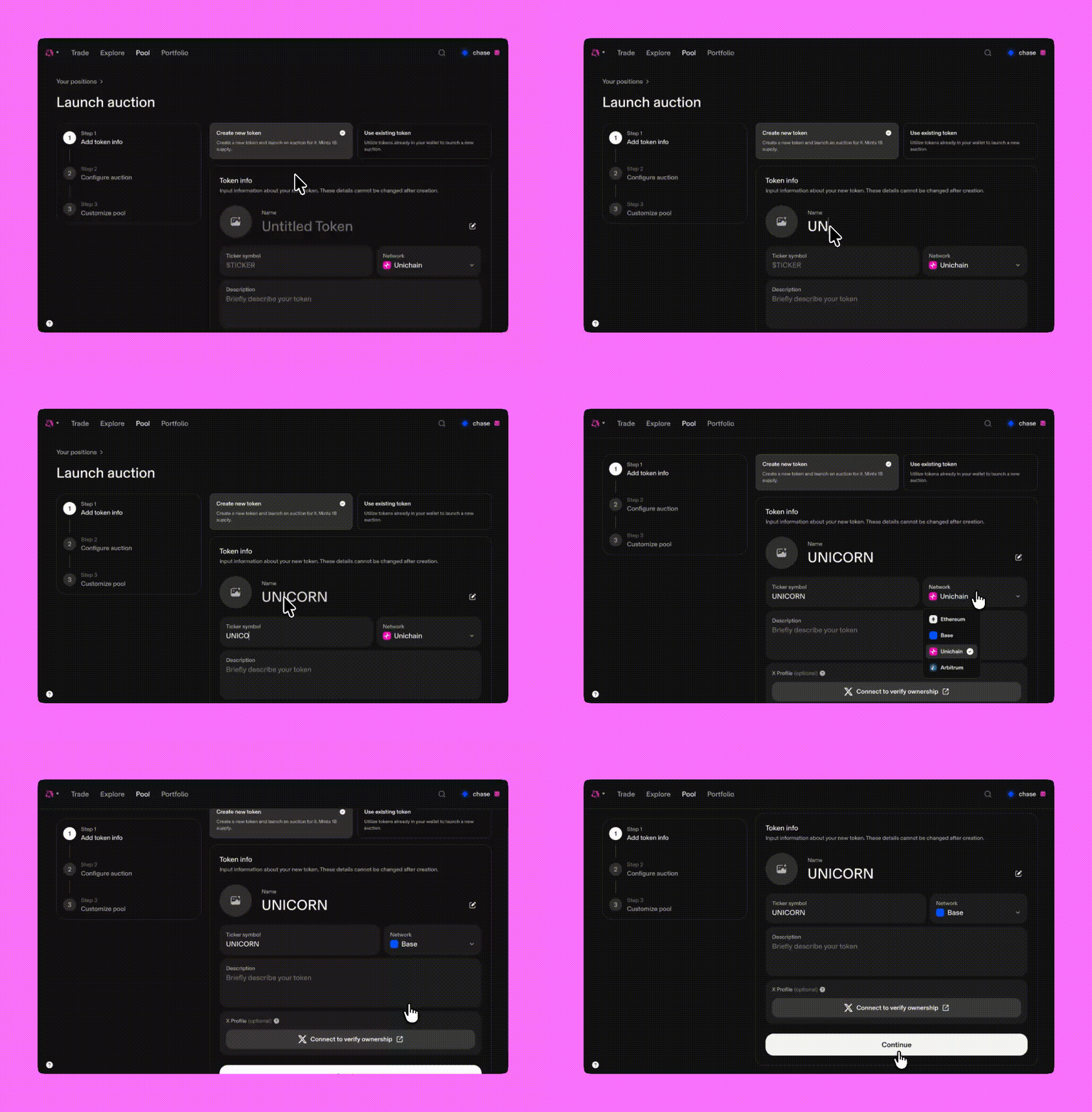
Add token info
Import an existing token or create a new one by providing details like token ticker, project name, token image, and network you'd like the auction to go live on.
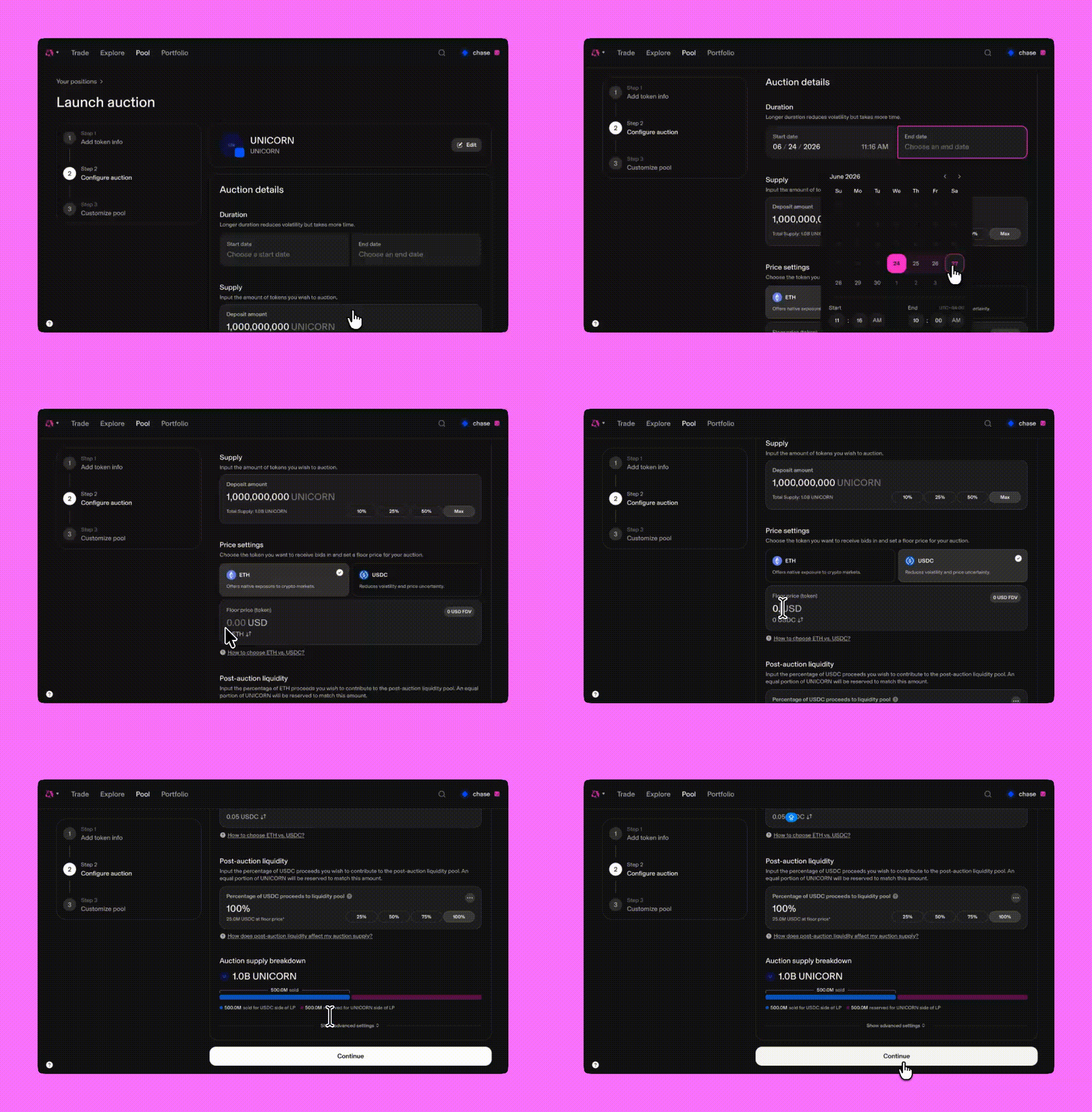
Configure auction
Set the auction parameters, including currency, supply, auction duration, and more.
Customize pool
Configure the post-auction liquidity setup, including LP allocation and pool parameters. This helps move from token distribution into usable liquidity after the auction ends.
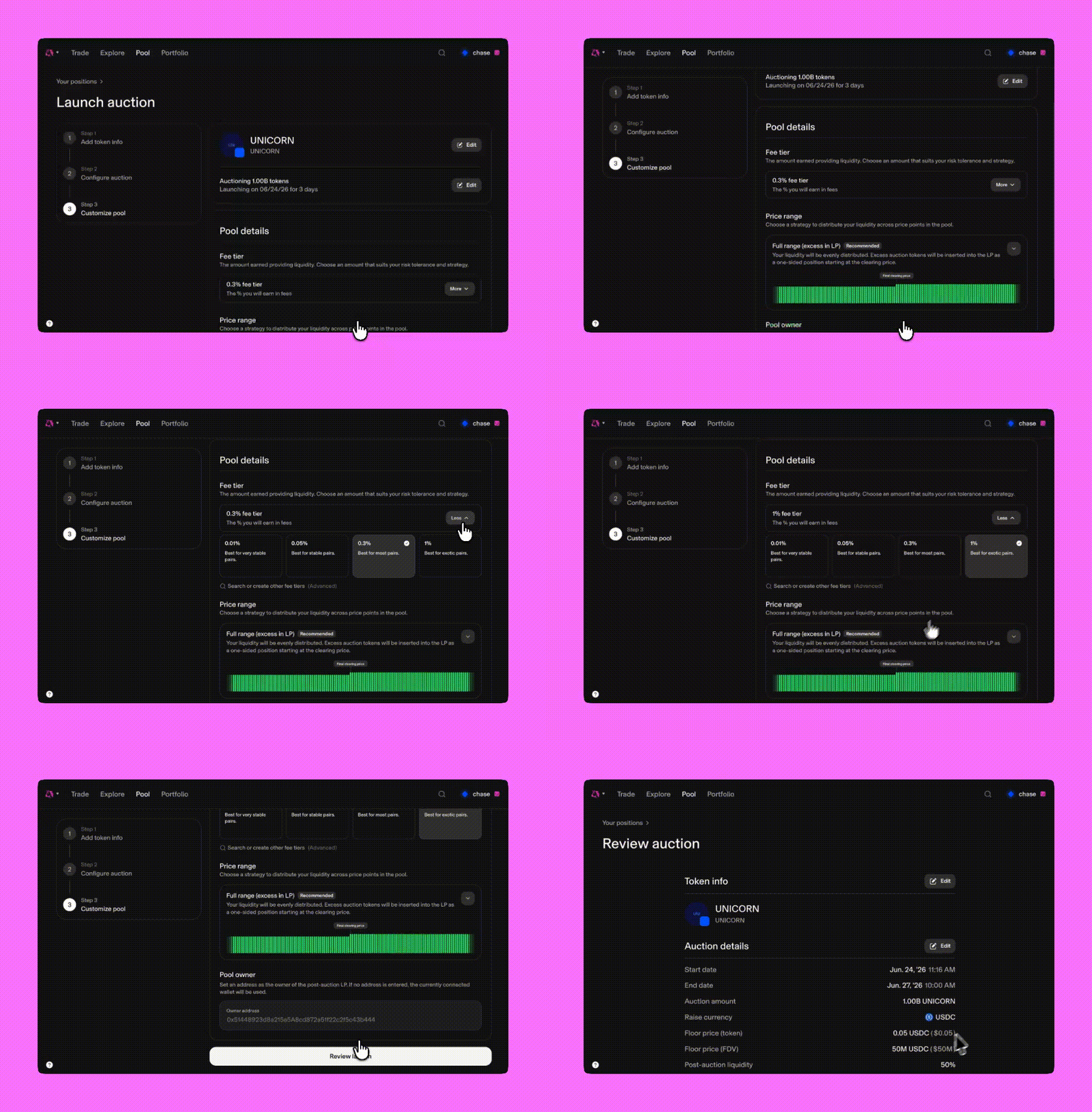
Teams can also customize advanced auction settings, including range selection, custom fund allocation, identity requirements, and verification.
Get started
Teams can start by opening the Uniswap Web App and navigating to the Launch Auction page.